> ## Documentation Index
> Fetch the complete documentation index at: https://docs.rekody.com/llms.txt
> Use this file to discover all available pages before exploring further.
# Rekody
> Private, on-device voice dictation for your Mac. You talk, it types.
 Hold ⌥ Space, speak, and the words land where your cursor is, in any app. Everything runs on your Mac: no accounts, no servers, no audio leaving your machine.
From key release to final text, on the default on-device engine.
While dictating. The speech model downloads once at setup, then dictation never touches the network.
The dictation engine is MIT licensed, so you do not have to take our word for any of this.
## How a dictation works
Hold ⌥ Space, speak, and the words land where your cursor is, in any app. Everything runs on your Mac: no accounts, no servers, no audio leaving your machine.
From key release to final text, on the default on-device engine.
While dictating. The speech model downloads once at setup, then dictation never touches the network.
The dictation engine is MIT licensed, so you do not have to take our word for any of this.
## How a dictation works
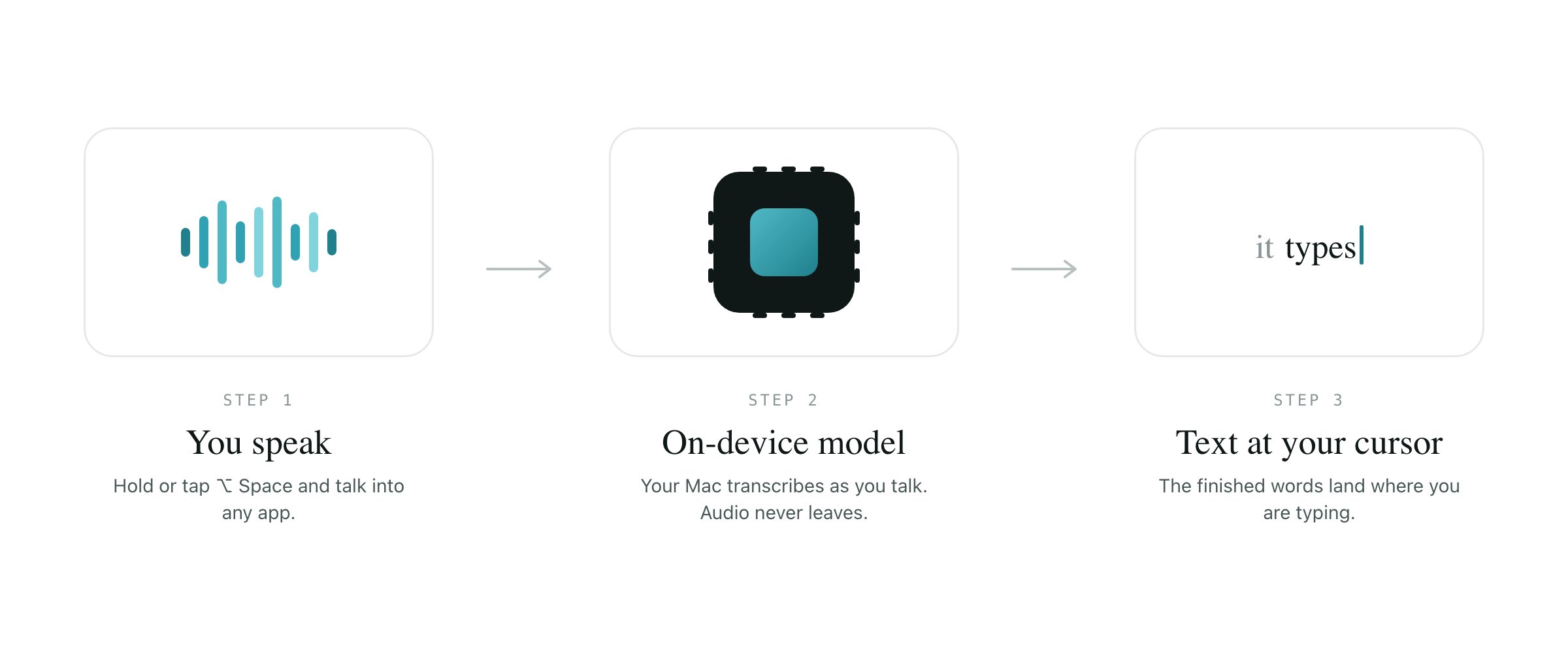 1. You hold or tap ⌥ Space and speak.
2. Rekody transcribes on your Mac while you talk. Words appear live.
3. You release, or pause, and the finished text lands at your cursor.
That is the whole loop. No window to switch to, no paste step, no upload.
## Start here
Download the DMG and dictate in about two minutes.
Hold to talk, or tap for hands-free. Either way, the text lands at your cursor.
The floating capsule that shows you what Rekody hears while you dictate.
Teach Rekody the names, jargon, and product terms that matter to you.
Say a short phrase, get a long block of text you type often.
No accounts, no telemetry, no servers. Here is exactly what stays on your Mac.
The open-source engine for people who live in the terminal.
Every setting the CLI reads from one TOML file.
## Two ways to run Rekody
**The Mac app** is the easiest way in: a free download with a guided setup, a floating pill while you dictate, and a workspace for your history, dictionary, and snippets.
**The CLI** is the open-source engine underneath, for people who live in the terminal. Same pipeline, same privacy, configured through a TOML file.
## Related topics
- [Troubleshooting](/app/troubleshooting.md)
- [FAQ](/app/faq.md)
- [Engines](/developers/engines.md)
- [Library](/app/library.md)
- [config.toml reference](/developers/configuration.md)
1. You hold or tap ⌥ Space and speak.
2. Rekody transcribes on your Mac while you talk. Words appear live.
3. You release, or pause, and the finished text lands at your cursor.
That is the whole loop. No window to switch to, no paste step, no upload.
## Start here
Download the DMG and dictate in about two minutes.
Hold to talk, or tap for hands-free. Either way, the text lands at your cursor.
The floating capsule that shows you what Rekody hears while you dictate.
Teach Rekody the names, jargon, and product terms that matter to you.
Say a short phrase, get a long block of text you type often.
No accounts, no telemetry, no servers. Here is exactly what stays on your Mac.
The open-source engine for people who live in the terminal.
Every setting the CLI reads from one TOML file.
## Two ways to run Rekody
**The Mac app** is the easiest way in: a free download with a guided setup, a floating pill while you dictate, and a workspace for your history, dictionary, and snippets.
**The CLI** is the open-source engine underneath, for people who live in the terminal. Same pipeline, same privacy, configured through a TOML file.
## Related topics
- [Troubleshooting](/app/troubleshooting.md)
- [FAQ](/app/faq.md)
- [Engines](/developers/engines.md)
- [Library](/app/library.md)
- [config.toml reference](/developers/configuration.md)